11.5 The knob that slipped
With the clamp on the shelf, I turned the knob and the pad pushed up. Then, at a certain force, the nut inside the knob started to ride up the bolt instead of holding it. A screwdriver on the bolt's head still tightened it, but that defeats the point of a knob. I hoped for a fix in the knob, not another clamp.
Claude drew the knob in section from the model, with the nut at the size I'd measured.
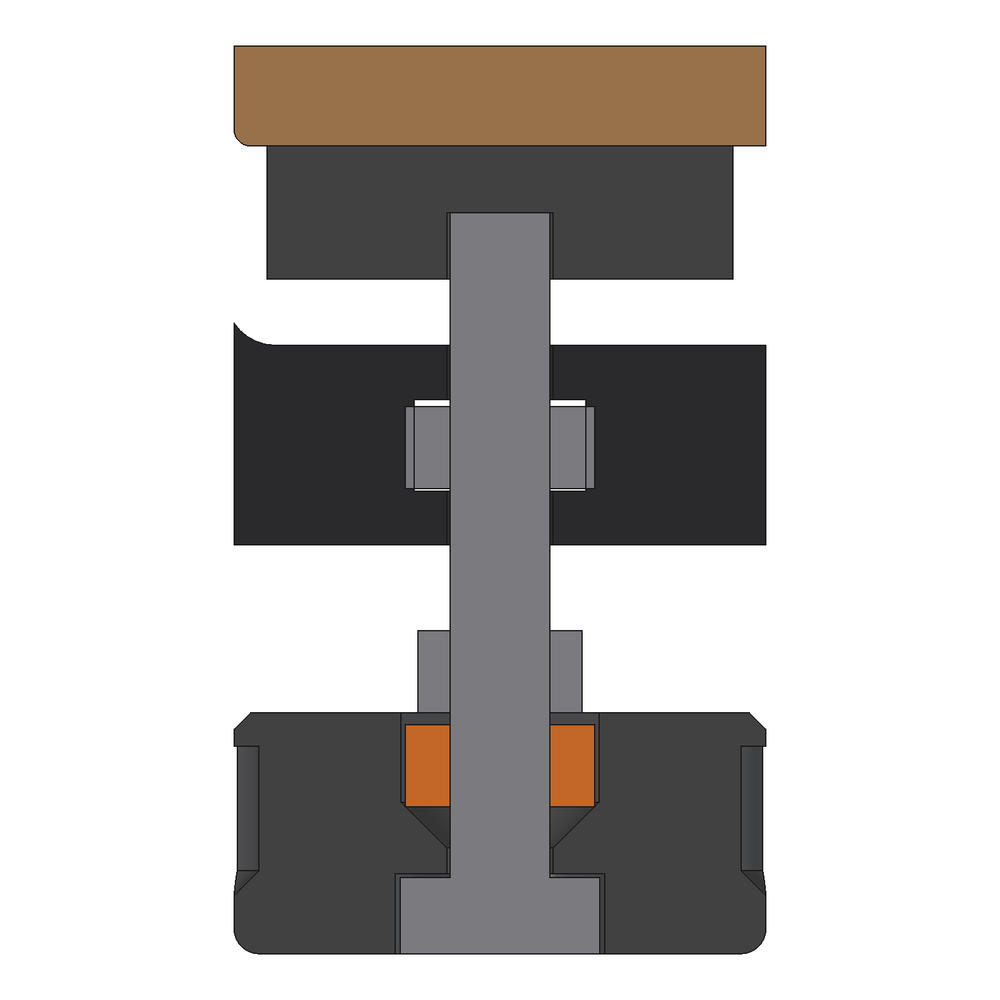
- The bolt's head turns freely in its round pocket.
- The nut in the hex pocket turns with the knob. When the bolt resists, the knob's turn screws that nut up the bolt, away from the head. That's the loosening direction for the grip between the head and the nut, so the harder you turn, the more it lets go.
- The jam nut never touched that nut. The pocket is 5.4 mm deep and the real nut is 4.93 mm. It sits 0.26 mm down the pocket's cone, so its top is 0.7 mm below the knob's face, and the jam nut tightened onto the PLA.
- With the standard 5.2 mm nut in the model, the gap was only about 0.2 mm, which hid the problem. My calliper value showed it.
The test print (11.3) had checked the fit, not the turning force under load.
The fix
It needed no print. Lock a nut hard against the bolt's head with a spanner, steel on steel. Then turn the knob upside down, so that nut sits in the hex pocket and the head stays under the knob. A second nut, finger tight in the round pocket (now on top), only holds the knob on.
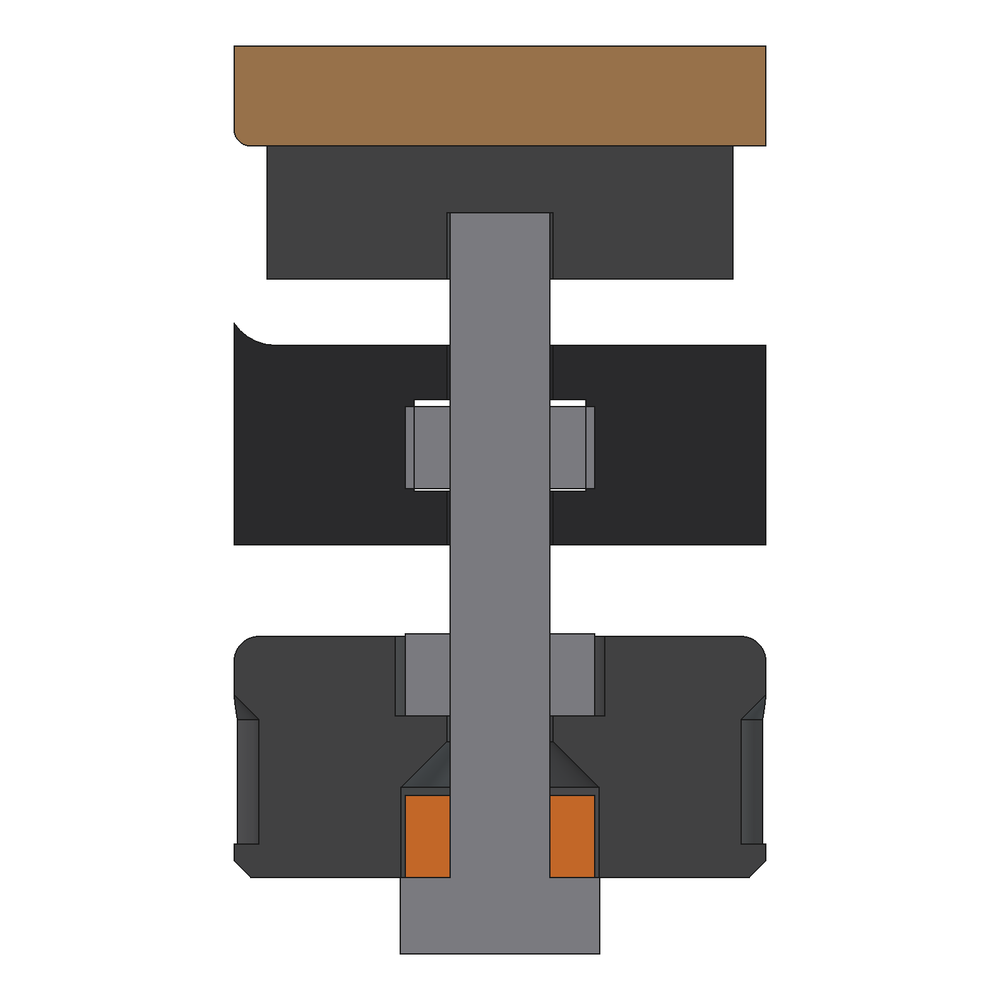
The knob's turn still pushes that nut in its loosening direction. But a spanner-tight steel lock takes several N m to break, and a hand on a 32 mm knob gives about 1 N m. It worked perfectly.
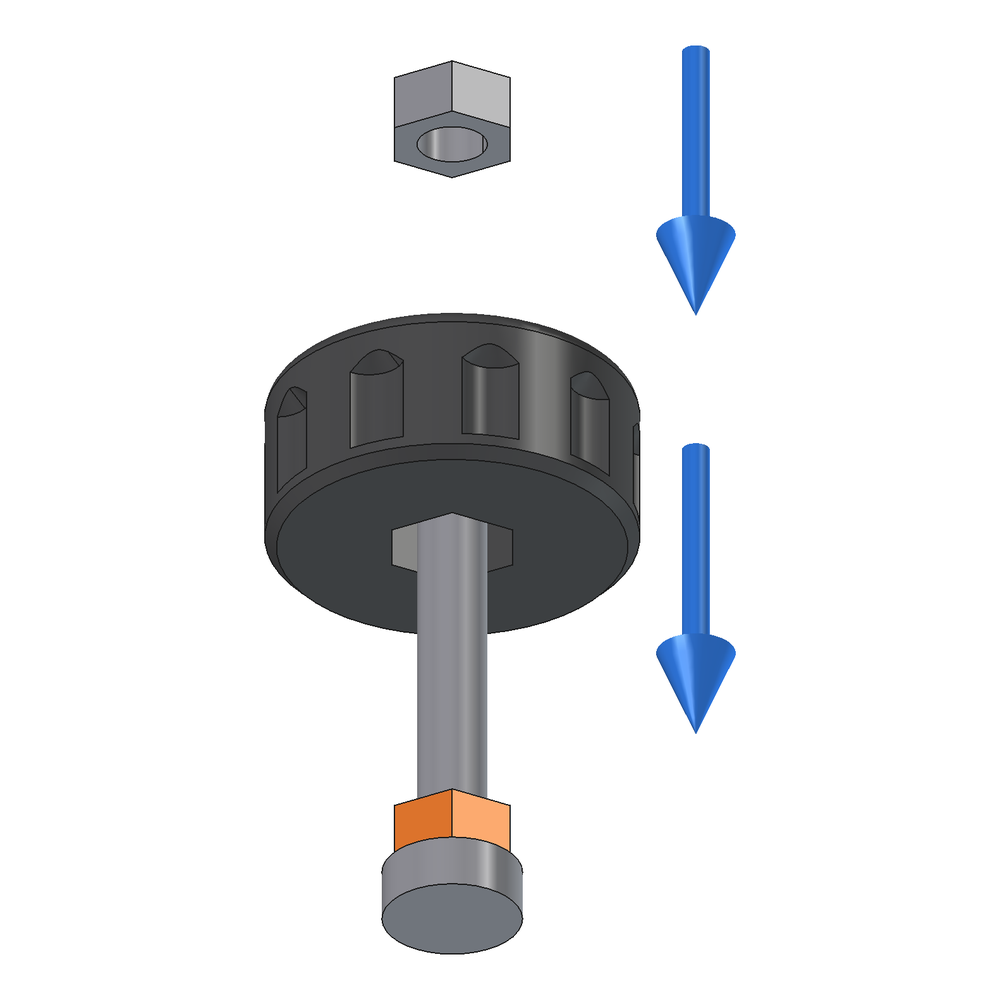
My first thought was that I'd put it together wrong. I hadn't. The jam nut couldn't reach the nut however it went together.
Two lessons. Any lock that carries a turning force goes steel to steel, never through PLA. And test a turning joint by turning it under load.